

 By
By Quick Summary
What is the best budget mechanical keyboard for long typing hours in India?
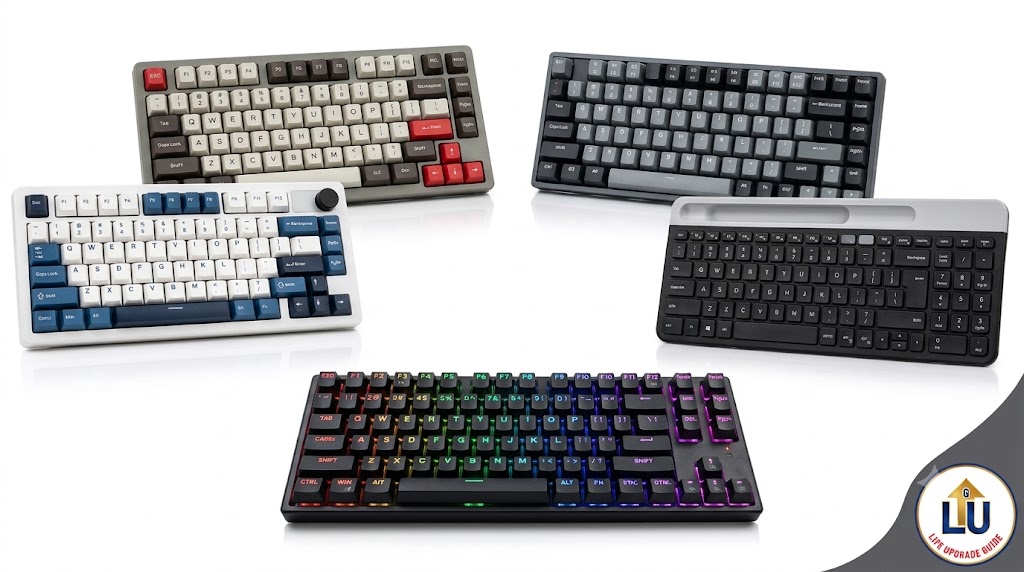
The best budget mechanical keyboard for long typing hours balances soft key actuation, durable build quality, and switch noise suitable for Indian home environments. For tight budgets under ₹1,000, options like the EvoFox Fireblade or Zebronics Linear Red Switches 61 Keys Layout Mechanical Keyboard provide crisp feedback without finger fatigue. For advanced users seeking hot-swappable switches and wireless freedom, models like the EvoFox Katana S Mini Tri-Mode or RK ROYAL KLUDGE F99 offer superior gasket-mounted ergonomics for extended typing, coding, and daily work.
1. Introduction: The Silent Productivity Killer on Your Desk
Imagine sitting at your desk after six hours of writing assignments, debugging code, or drafting work reports. Your assignments are half-done, your wrist feels stiff, and your fingertips feel uncomfortably aching.
Most people blame long work hours for this exhaustion. However, the real culprit is often sitting right under your hands: a cheap, stiff keyboard.
Most of us start our journey with the basic keyboard that comes free with a computer desktop or the flat keyboard built into our laptops. These keyboards force you to press every single key down completely against a stiff rubber pad. Over hours of work, that constant impact strains your fingers and slows down your typing speed.
Upgrading your setup is not about building a flashy gaming rig or showing off on video calls. It is about protecting your hands, reducing fatigue, and making daily work effortless. Let us look at how choosing the right mechanical keyboard can transform your workflow without breaking your budget.
2. Why Standard Membrane Keyboards Are Hurting Your Productivity
Standard membrane keyboards use a continuous rubber sheet under the keys. To register a keystroke, you must press the key all the way down until the rubber dome squishes flat against the circuit board.
Membrane Key:  [Key Cap] ---> [Squishy Rubber Dome] ---> Stiff Bottom Out (Finger Strain)
Mechanical Key: [Key Cap] ---> [Mechanical Switch + Spring] ---> Crisp Actuation (Smooth Flow)
This design creates three distinct problems for anyone who types for long hours:
- Increased Finger Strain: Because you have to bottom out every single keypress, your fingers absorb a small shock thousands of times every day. Over weeks and months, this causes dull aching in your knuckles and wrists. Elevating your screen with an ergonomic laptop stand helps your neck posture, but your wrists still suffer if your keyboard lacks proper feedback.
- Higher Typo Rates: Rubber domes wear out unevenly over time, some buttons become soft while others become difficult to press, causing missed letters and constant backspacing.
- Fast Typing Speed: On mechanical keyboard, switches register your commands in half the time it takes to press a key. You do not need to press as hard. This allows your fingers to glide effortlessly from one key to the next, increasing your typing speed and overall productivity.
3. What Indian Users Must Check Before Buying a Budget Keyboard
Buying a keyboard in India requires looking beyond global reviews. Our homes, study spaces, and working environments have unique needs that generic guides completely ignore.
A. Switch Noise in Shared Family Spaces
If you live in a joint family or share a room with siblings, switch noise matters. Blue switches give a loud “click-clack” sound. While satisfying at first, they can quickly disturb family members during late night study or work sessions. Red (Linear) or Brown (Tactile) switches provide a quiet, smooth feel that keeps your work environment peaceful.
B. Desk Space & Portability
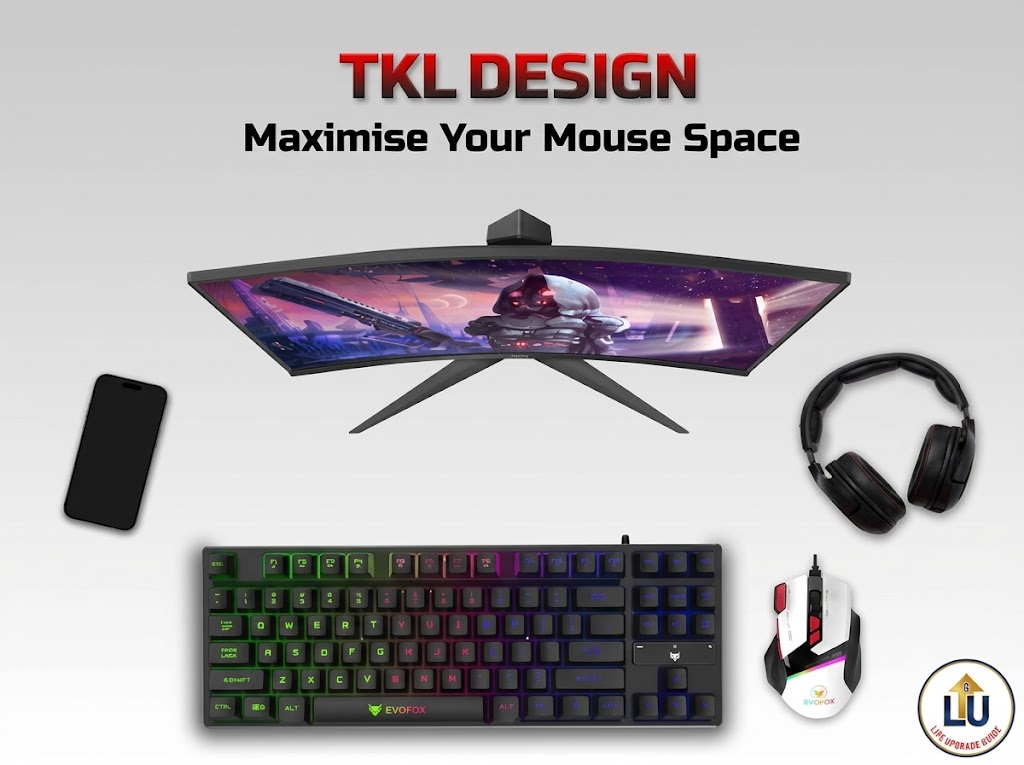
Many students and remote professionals work on compact study tables or portable laptop desks. A full-size keyboard takes up valuable space and forcing your mouse hand far to the side. Opting for a Tenkeyless (TKL – 87 keys) or 65% compact layout keeps your hands aligned naturally while leaving extra space on your table.
C. Dust Resistance & Hot-Swap Support
Dust buildup is a reality in Indian homes. On non-swappable keyboards, a single dusty or faulty switch means throwing away the entire board. A Hot-Swappable PCB allows you to pull out a single faulty switch with a simple tool and replace it for ₹20, adding years to your keyboard’s life. Connecting your laptop and desktop along with other peripheral devices via a multiport USB HUB keeps your main laptop ports safe from constant wear and tear.
4. Top 7 Budget Mechanical Keyboards for Long Typing Hours in India
Here are the top tested budget keyboards available on Amazon India, reviewed specifically for typing comfort, build quality, and everyday value.
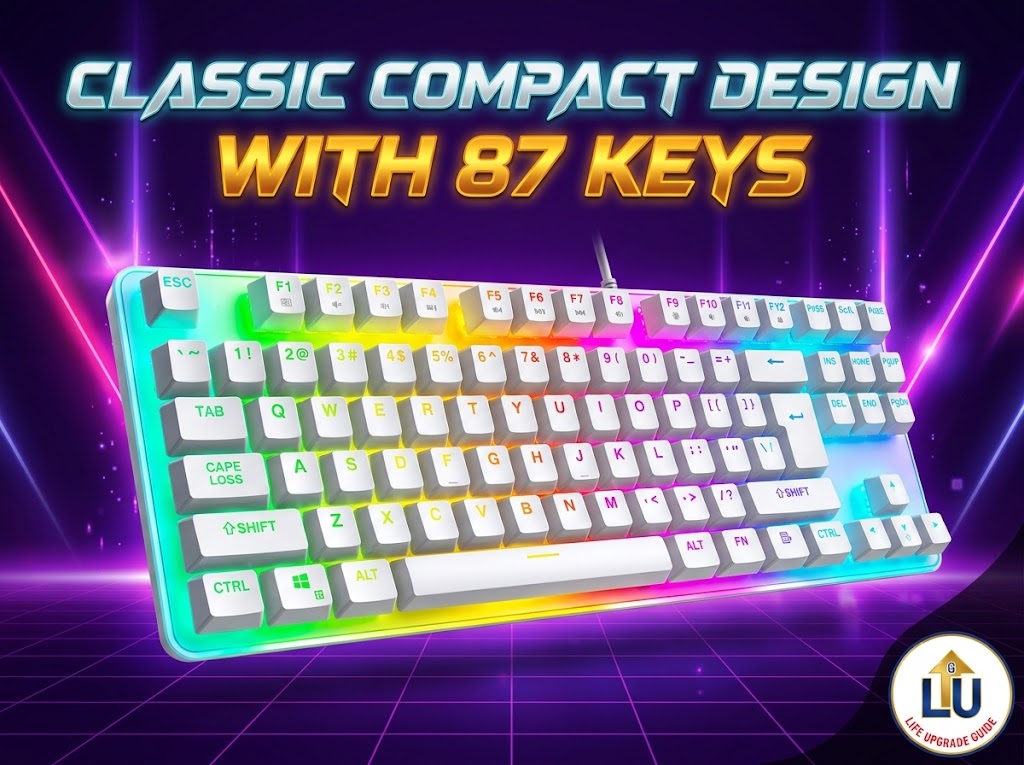
A. Ant Esports MK700 V2 RGB Backlight TKL Wired Mechanical Keyboard 87 Keys
PROBLEM
Typists working in shared rooms late at night need smooth key action without loud clicking sounds interrupting others.
THE SOLUTION
A compact 87 key TKL keyboard with fade proof UV coated keycaps, mechanical feel membrane switches, and instant plug and play support.
BEST APPROACH
Plug it directly into your PC or laptop to save desk space and start typing immediately without installing any drivers.
IDEAL FOR
WFH employees, beginners, content creators, and shared room residents needing a quiet, compact sized layout, best in budget options.
WHY IT WORKS
The TKL layout frees up room for your mouse, while laser carved UV keycaps ensure key letters never wear off during daily use.
- Pros: Highly affordable entry price, space saving 87 key TKL layout, fade proof laser carved keycaps, compatible with Windows 10, 8, 7, Win Vista, Windows XP and Mac OS, etc.
- Cons: Fixed wired cable, need more care due to mercury white color board.
B. EvoFox Fireblade TKL Semi-Mechanical Backlit Gaming Keyboard
PROBLEM
Standard membrane boards fail quickly under heavy everyday use, leaving typists with sticky, unresponsive keys.
THE SOLUTION
A true mechanical TKL board equipped with long lasting mechanical switches and double-shot keycaps that never fade.
BEST APPROACH
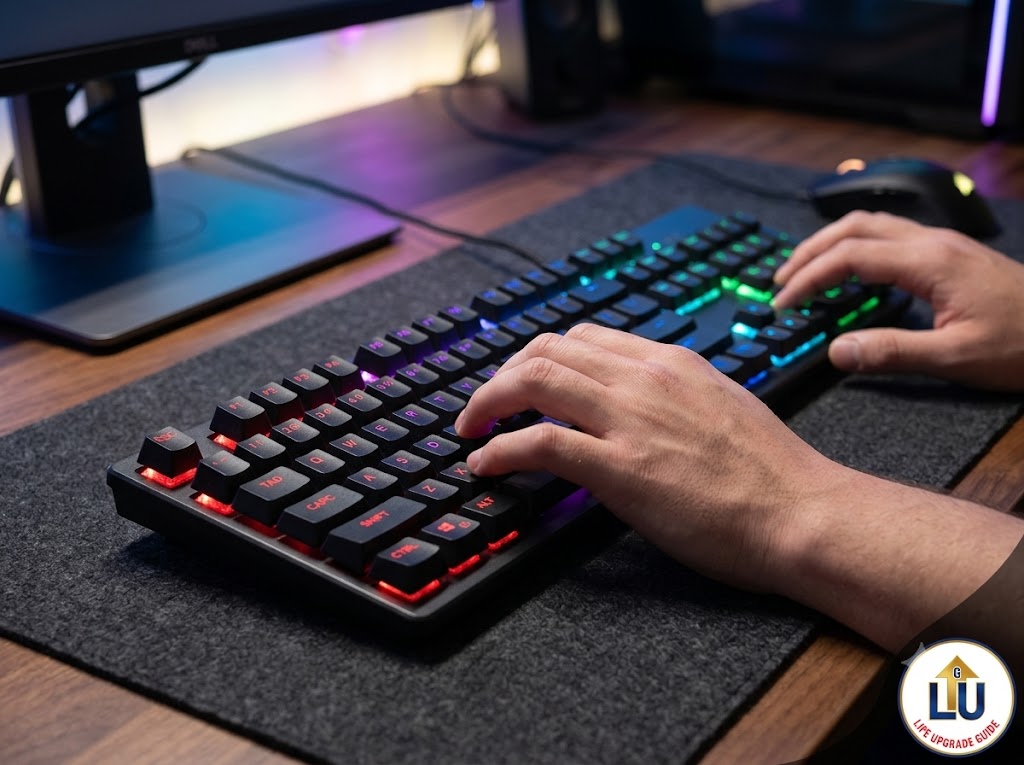
Use this board for late night typing, assignment drafting, and coding sessions where quick key response is important.
IDEAL FOR
Coders, content writers, and college students seeking true mechanical tactile feedback and breathing effect backlit keys under a strict ₹1,000 budget.
WHY IT WORKS
Each key operates on an independent mechanical switch rated for tens of millions of presses. The compact body keeps your setup clean and organized.
- Pros: True anti ghosting keys, durable keycaps, dynamic rainbow backlighting.
- Cons: Key height may require a day or two of wrist adjustment.
C. HP K500F Backlit Wired Gaming Keyboard
PROBLEM
Flimsy plastic keyboards flex easily during typing, while mechanical switches can be too noisy or costly for budget setups.
THE SOLUTION
A sturdy full sized keyboard built with an elegant metal top panel, double-injection keycaps, and 3 years warranty.
BEST APPROACH
Place it on a stationary home office desk where you routinely enter numerical data, spreadsheets, or financial calculations.
IDEAL FOR
Office professionals, accountants, and students who frequently use a number pad for data entry under ₹1000.
WHY IT WORKS
The integrated metal top-plate prevents keyboard flex when you type heavily. Its raised keycaps give a mechanical feel while maintaining quiet keystrokes.
- Pros: Solid metal top panel, includes a dedicated number pad, well known HP brand 3 years warranty.
- Cons: Membrane mechanism (not true mechanical switches).
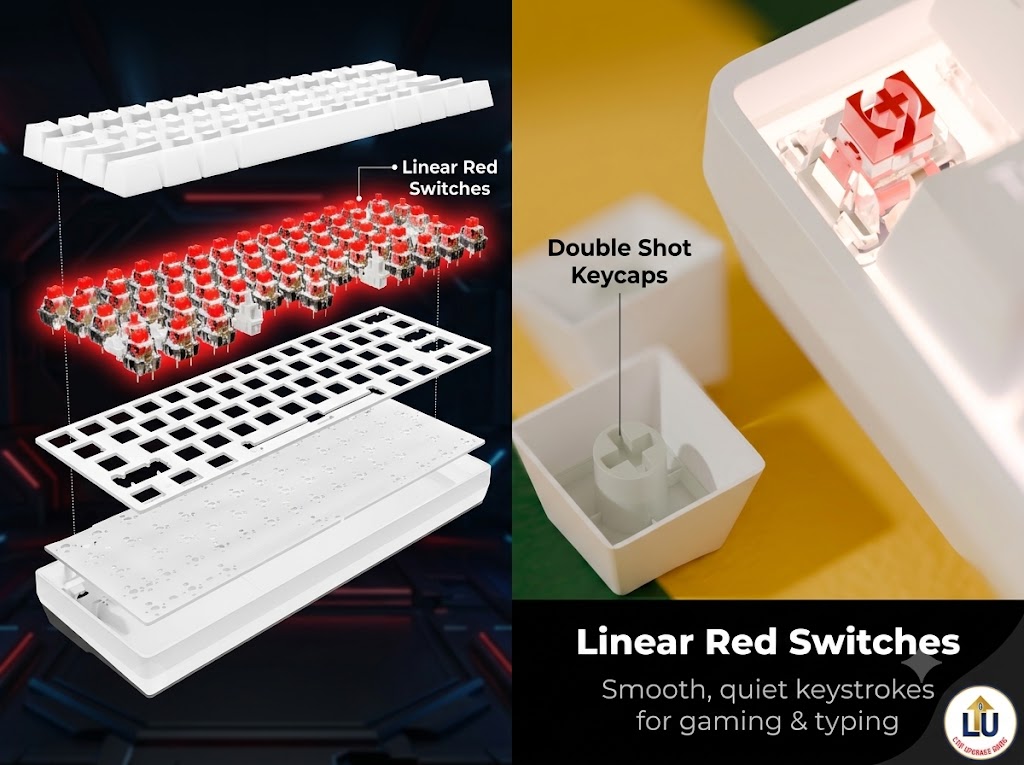
D. Zebronics Linear Red Switches 61 Keys Layout Mechanical Keyboard
PROBLEM
Loud key clicks disrupt family members in shared rooms, while large keyboards overcrowd small study desks
THE SOLUTION
A compact 61-key mechanical keyboard featuring silent linear Red switches, long lasting double shot keycaps, and a space saving design.
BEST APPROACH
Place it on small study or work desks and adjust the 2 step retractable stand to find your most comfortable typing angle.
IDEAL FOR
Long hour writers, software developers, and desktop users who prioritize heavy, stable gear under ₹1200.
WHY IT WORKS
The heavier chassis prevents the keyboard from sliding around during fast typing sessions, ensuring your hands remain in a stable, comfortable position.
- Pros: Double shot keycaps, 60% compact design, 26 anti ghosting keys, satisfying tactile response, bright backlighting modes.
- Cons: Lacks a dedicated number pad and arrow keys, wired-only connection.
E. HP GK400Y Auto sleep Full Size Mechanical Keyboard 104 Keys
PROBLEM
Long typing hours cause finger and wrist fatigue, while standard keyboards are easily damaged by daily dust and accidental spills.
THE SOLUTION
A durable, full-size mechanical keyboard built with a dust-proof metal panel, auto-sleep energy saving, and ergonomic wrist alignment.
BEST APPROACH
Plug it directly into your computer via USB for instant setup that lets you start typing immediately and gives a clean, professional aesthetic and smart power savings.
IDEAL FOR
Office professionals, coders, and students who need a strong, long lasting keyboard with a full number pad for everyday work.
WHY IT WORKS
The stepped key profile matches the natural arch of human hand, reducing joint extension during long typing hours.
- Pros: Intelligent auto-sleep mode, premium metallic housing, clear legibility.
- Cons: Full size design requires more desk space, fixed wired connection limits mobility
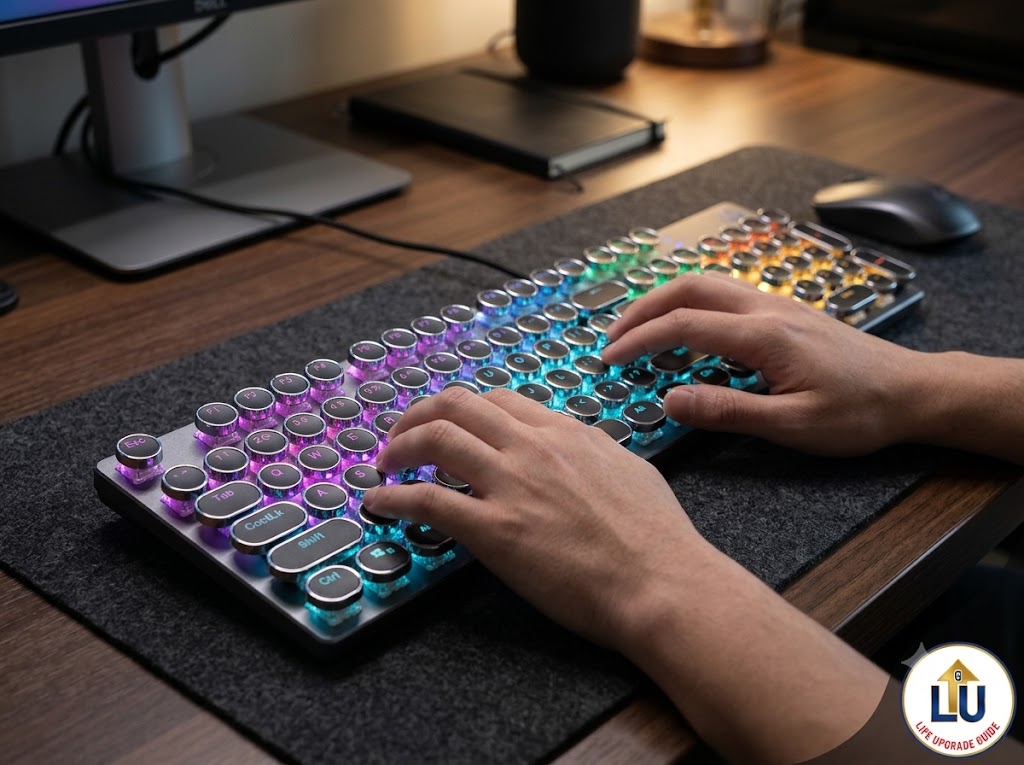
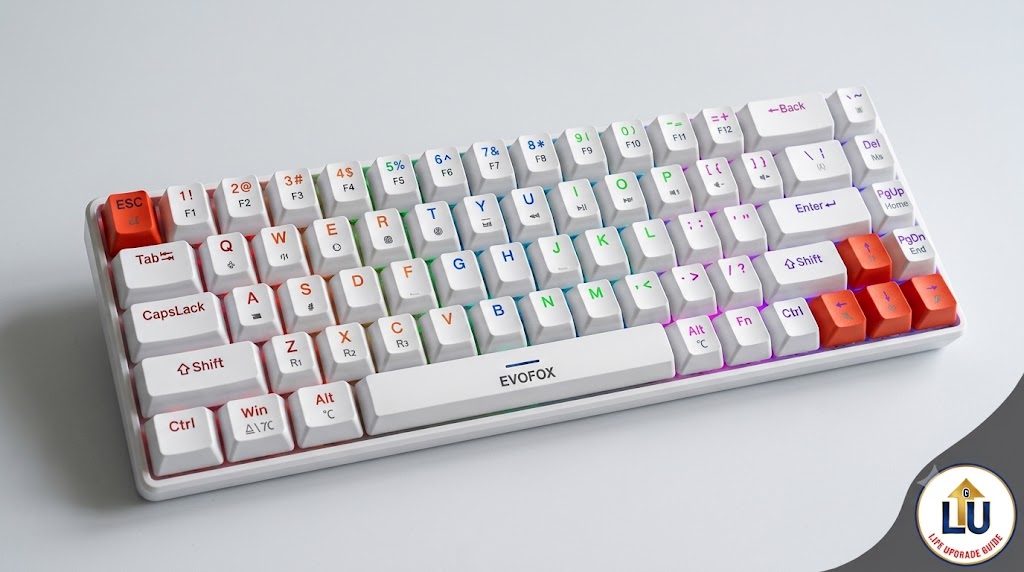
F. EvoFox Katana S Mini Tri-Mode Rechargeable Mechanical Keyboards
PROBLEM
Messy wires take up too much desk space, and switching your keyboard between a laptop, phone, or tablet is annoying.
THE SOLUTION
A compact 68 key wireless keyboard with smooth Red switches that easily connects to up to 5 devices at once.
BEST APPROACH
Connect it via Bluetooth or wireless dongle to keep your small desk clean and type comfortably anywhere.
IDEAL FOR
Tech savvy professionals, multi device users, and students who want a clutter free, modern desk setup.
WHY IT WORKS
Its small layout saves desk space, quiet Red switches keep typing silent, and hot-swappable sockets let you replace switches without soldering.
- Pros: Tri-mode connection (Bluetooth, Wireless dongle, Wired USB), hot-swappable PCB, long rechargeable battery life, travel-friendly (484g).
- Cons: Slightly higher price tag than basic wired models.
G. RK ROYAL KLUDGE F99 Wireless Backlit Mechanical Keyboard
PROBLEM
Hard typing on cheap keyboards causes finger strain, loud hollow noise, and constant battery charging issues during long work hours
THE SOLUTION
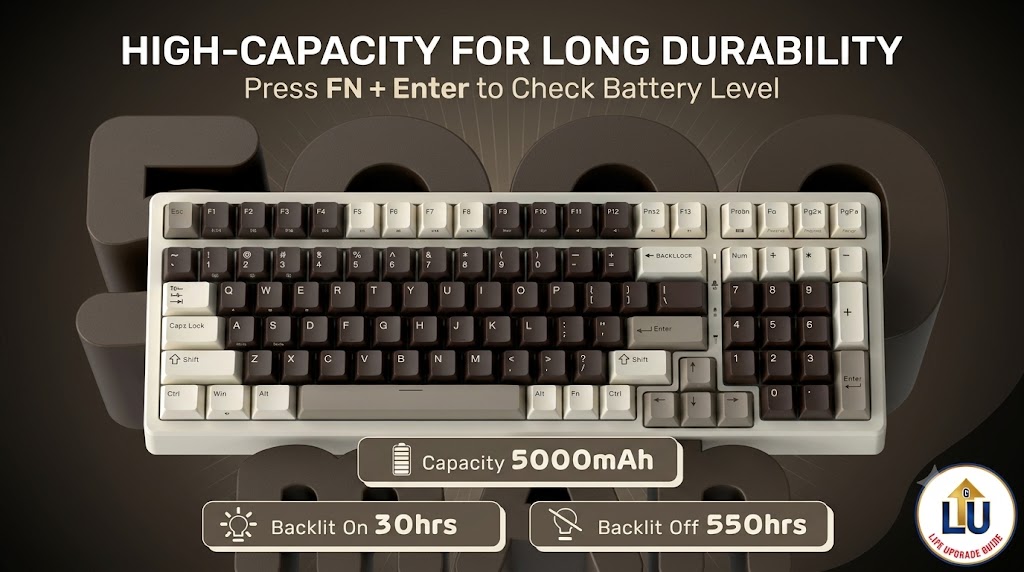
A premium 96% compact wireless mechanical keyboard built with triple layer sound dampening and a massive 5000 mAh battery for smooth, quiet typing.
BEST APPROACH
Connect it wirelessly via Bluetooth or 2.4GHz receiver to work freely across your laptop, tablet, and PC without any wire clutter.
IDEAL FOR
Writers, coders, and professionals who need a quiet, full featured keyboard with a number pad for daily high productivity tasks.
WHY IT WORKS
Its triple layer foam padding removes harsh hollow sounds, while durable PBT keycaps and hot swappable switches give your fingers a soft, comfortable feel.
- Pros: Tri mode wireless connectivity, giant 5000 mAh long lasting battery, quiet triple layer sound dampening, durable oil resistant PBT keycaps.
- Cons: Slightly heavier to carry around, higher initial price.
5. Quick Switch Guide: Which One Is Right for You?
Choosing the right mechanical switch type ensures your keyboard matches your environment:
Switch Type  | Tactile Feel | Sound Level  | Best Suitable Environment
-----------------------------------------------------------------------
Red Switch   | Smooth/Linear| Very Quiet   | Shared Rooms, Late-Night Typing
Brown Switch | Soft Bump    | Moderate     | Coding, Writing, Balanced WFH
Blue Switch  | Crisp Click  | Loud Clicky  | Private Rooms, Solo Workspaces
- Brown Switches: The safest choice for typists. They provide a gentle bump when a key registers, letting you know the press went through without making loud noise.
- Red Switches: Smooth and soft. They offer zero resistance bumps, making them excellent for fast fingers and late night work in quiet homes.
- Blue Switches: Loud and click. They offer great tactile feedback but can be noisy in quiet family settings.
6. Maintenance Tips for Indian Workspaces
Maintaining your keyboard takes less than two minutes a week and adds years of life to your investment:
- Use a Dust Cover: Dust is the biggest enemy of mechanical switches. Cover your keyboard with a clean cloth or plastic cover when not in use. Organizing your desk with simple cable management accessories also keeps dust from settling inside wire bundles.
- Weekly Brush Cleaning: Keep a small soft brush near your desk to sweep away crumbs and dust particles between the keycap channels.
- Handle Liquid Hazards Cautiously: Never consume tea, coffee, or water directly above your open keybed. If a spill happens, unplug the keyboard instantly and let it dry completely for 48 hours.
7. Final Verdict: Which Keyboard Should You Buy?
Upgrading from a squishy membrane keyboard to a reliable mechanical board is one of the smartest upgrades you can make for your daily productivity and finger health.
- If you are on a tight budget under ₹599, start with the EvoFox Fireblade TKL Semi-Mechanical Backlit Gaming Keyboard or Zebronics Linear Red Switches 61 Keys Layout Mechanical Keyboard. They offer genuine tactile feedback in a compact frame.
- If you need wireless multi device convenience, the EvoFox Katana S Mini Tri-Mode Rechargeable Mechanical Keyboards is your best.
- If you want the ultimate soft typing experience that protects your joints completely, invest in the gasket-mounted RK ROYAL KLUDGE F99 Wireless Backlit Mechanical Keyboard.
Pick the board that matches your budget and desk space today, your hands will thank you after every long typing session!
8. Frequently Asked Questions (FAQs)
Q1. Are mechanical keyboards good for long typing hours?
Yes. Mechanical keyboards register keystrokes halfway through the press, meaning you do not need to slam keys down completely. This significantly reduces finger strain and wrist fatigue over long hours.
Q2. Is a TKL keyboard better than a full size keyboard for typing?
For most people, yes. A Tenkeyless (TKL) keyboard omits the number pad, allowing your mouse to sit closer to your natural arm posture. This reduces shoulder strain during extended work sessions.
Q3. Which switch is quietest for late-night study or work?
Red linear switches are the quietest option. They slide down smoothly without any clicky mechanism, making them ideal for shared rooms and quiet home environments.
Q4. Can I use a mechanical keyboard with my laptop?
Absolutely. All wired USB and wireless Bluetooth mechanical keyboards connect easily to laptops, providing a far more comfortable typing experience than flat laptop keys.